Why Does Competitor Undercutting Happen Silently on Amazon India?
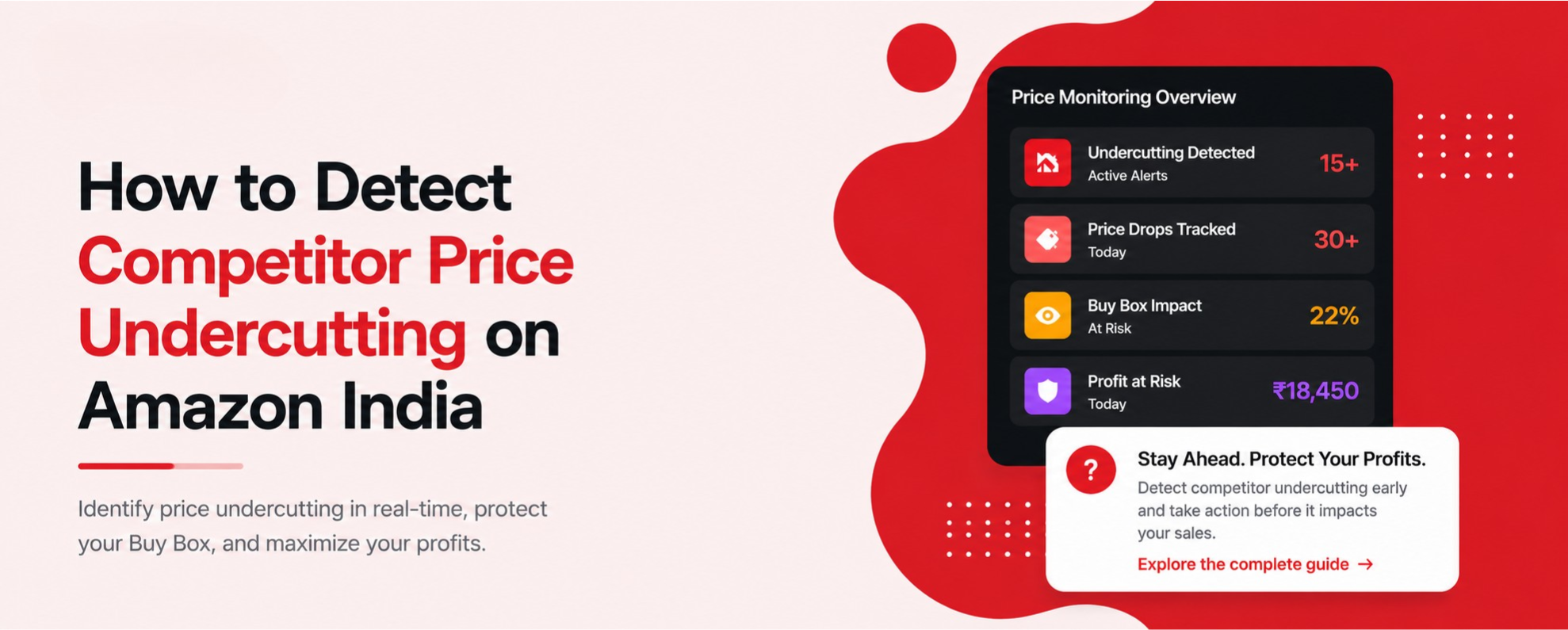
Amazon India does not send you a notification when a competitor drops their price below yours. There is no alert in Seller Central, no email, no SMS. The price change happens, the Buy Box switches within minutes, and your orders stop arriving — and you are the last to know.
This is not a bug — it is how Amazon's marketplace is designed. Amazon rewards competitive pricing automatically. The platform has no incentive to tell you when you have been undercut; it already redirected the traffic to the cheaper seller.
A competitor in Surat listed the same steel tiffin box at ₹649 while yours sat at ₹699 — Amazon switched the Buy Box within 4 minutes, at 11:47pm Tuesday. You found out at 8:30am Wednesday. Eight hours of Buy Box gone, no warning, no way to recover those sales.
The result is that most Amazon India sellers are reactive by design. They check prices when they remember to, not when it matters. By the time they trace a drop in orders back to a competitor price change, the ranking damage has already started and sessions are already falling.
How Do You Check Manually If You Are Being Undercut?
You have two manual options. Neither is fast enough to prevent damage, but they are free and they confirm what is happening.
Method 1: Check the Buy Box directly
Open Amazon India in a private browser window (so you are not logged in as a seller) and search your main keyword. Find your listing and look at the right side of the product page — specifically who is listed as the seller in the Buy Box. If it is not your seller name, a competitor has undercut you and Amazon has already given them the Buy Box.
Method 2: Check in Seller Central
Go to Manage Inventory in Seller Central and look at the Buy Box percentage column for your ASIN. If it has dropped from near 100% to below 50%, a competitor is sharing or taking the Buy Box. Click the ASIN and go to the pricing tab to see all competing offers ranked by price.
Even if you check every morning, you have a 10 to 12 hour overnight blind spot. And checking 10 or more ASINs manually each morning is 30 to 45 minutes of work before you have done anything else. At scale, manual checking is not a strategy — it is a hope.
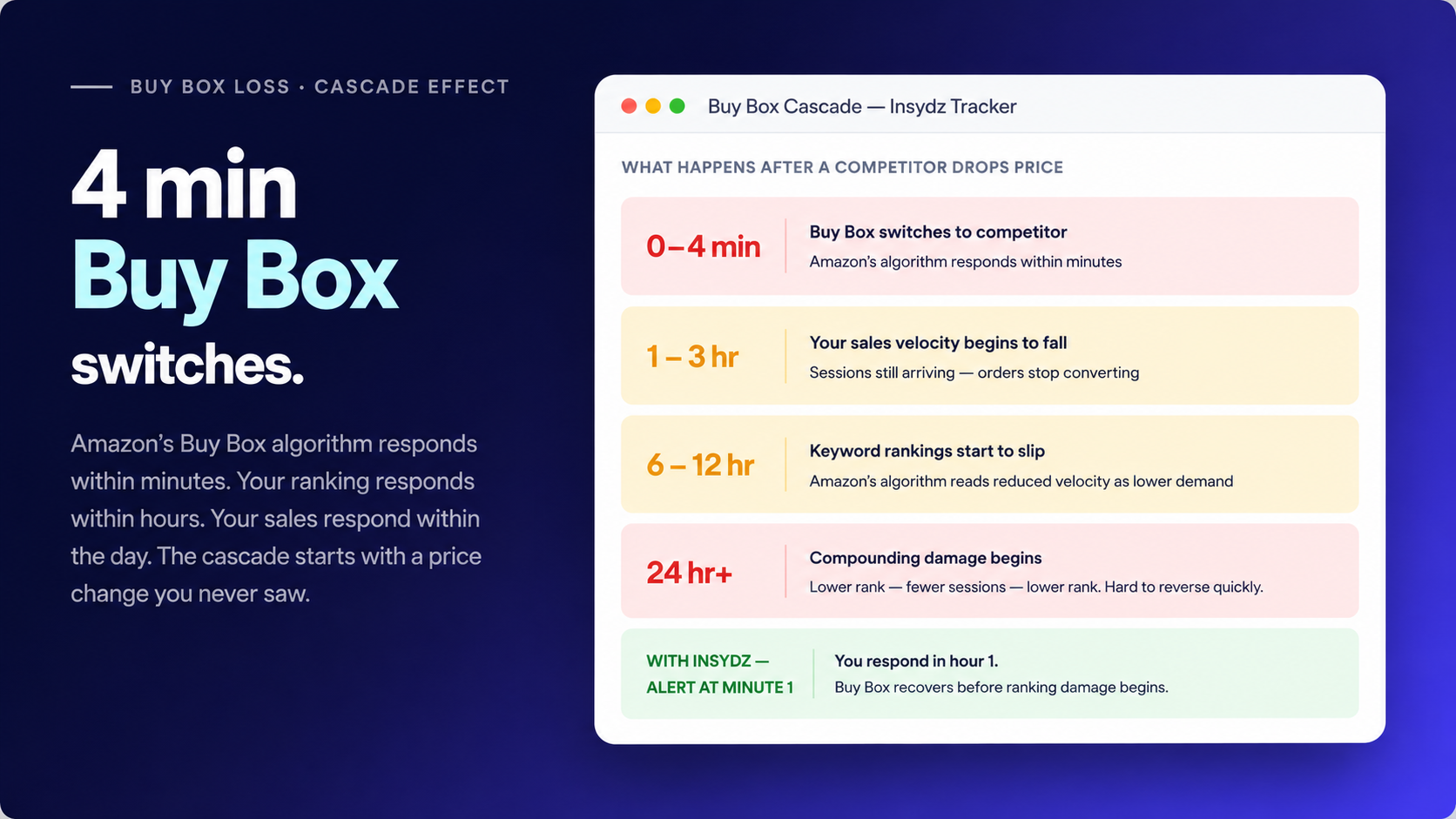
The Buy Box cascade Amazon's algorithm switches within 4 minutes of a competitor price drop, triggering a chain of ranking and revenue damage that compounds every hour without a response.
What Does It Actually Cost You to Find Out 10 Hours Late?
The cost of delayed awareness is not hypothetical. You can calculate it precisely, and the number is large enough to justify automated monitoring many times over.
That ₹6,490 overnight figure assumes 20 orders a day at ₹799 — which is a conservative number for any seller doing ₹5L to ₹30L a month. For a seller with 50 orders a day, the overnight gap is closer to ₹16,000. And that does not account for the ranking damage that takes days to repair after a prolonged Buy Box absence.
Every hour without the Buy Box reduces your sales velocity, and Amazon interprets lower velocity as lower demand. This pushes keyword rankings down — usually within 6 to 12 hours of sustained Buy Box absence. The overnight undercut that cost ₹6,490 in direct revenue can cost another ₹10,000 to ₹15,000 in Sponsored Products spend to repair the ranking damage.
How Do You Set Up Real-Time Competitor Price Alerts for Amazon India?
The only way to catch a price undercut before it costs you hours of Buy Box is automated monitoring with an instant alert. Here is how to set it up correctly.
Connect your ASINs to Insydz
Add each active ASIN to your Insydz tracking dashboard. Insydz pulls all competitor offers for each ASIN automatically — no manual competitor selection needed.
Set your alert threshold per ASIN
Choose the gap that triggers an alert. A ₹20 gap on a ₹399 product (5%) matters — a ₹20 gap on a ₹1,999 product (1%) usually does not. Set thresholds that match your category's price sensitivity rather than a blanket number across all ASINs.
Enable WhatsApp alerts
In Insydz notification settings, connect your WhatsApp number. Every alert arrives with the competitor's old price, their new price, your current price, the gap in rupees, and your current Buy Box percentage — everything you need to make a decision in under a minute.
Set your price floor before the first alert fires
Decide the minimum price at which you still make an acceptable margin — typically 20 to 25 percent net after COGS, Amazon commission, FBA fees, and ad spend. Write this number down for each ASIN. When an alert arrives, you already know your answer before you check the gap.
Test with one ASIN first
Run it for one week on your highest volume ASIN. See how many alerts you get, whether the thresholds are calibrated right, and how fast you can respond from the WhatsApp message. Then expand to all active ASINs.
Insydz sends a WhatsApp alert within 1 hour of any competitor price drop
Try it free — connect your first ASIN and set your first alert in under 5 minutes.
When You Get the Alert — How Should You Respond?
Speed matters, but the response has to be considered. The sellers who win the Buy Box back fastest are not the ones who immediately match price — they are the ones who already know their price floor and can make the decision in under a minute.
- •
Match their price: fastest way to recover the Buy Box. Works when the gap is within your margin floor and the competitor is legitimate. Do this within 15 minutes for maximum recovery.
- •
Beat their price by ₹1: takes the Buy Box decisively if they matched your old price rather than undercutting by a large amount. Use this when you need to break a Buy Box tie.
- •
Hold your price: the right call when matching would breach your floor. Focus on listing quality — better images, more reviews, stronger A+ Content — so buyers choose you despite the gap. A 4.6-star listing with better images regularly wins over a cheaper 4.1-star competitor.
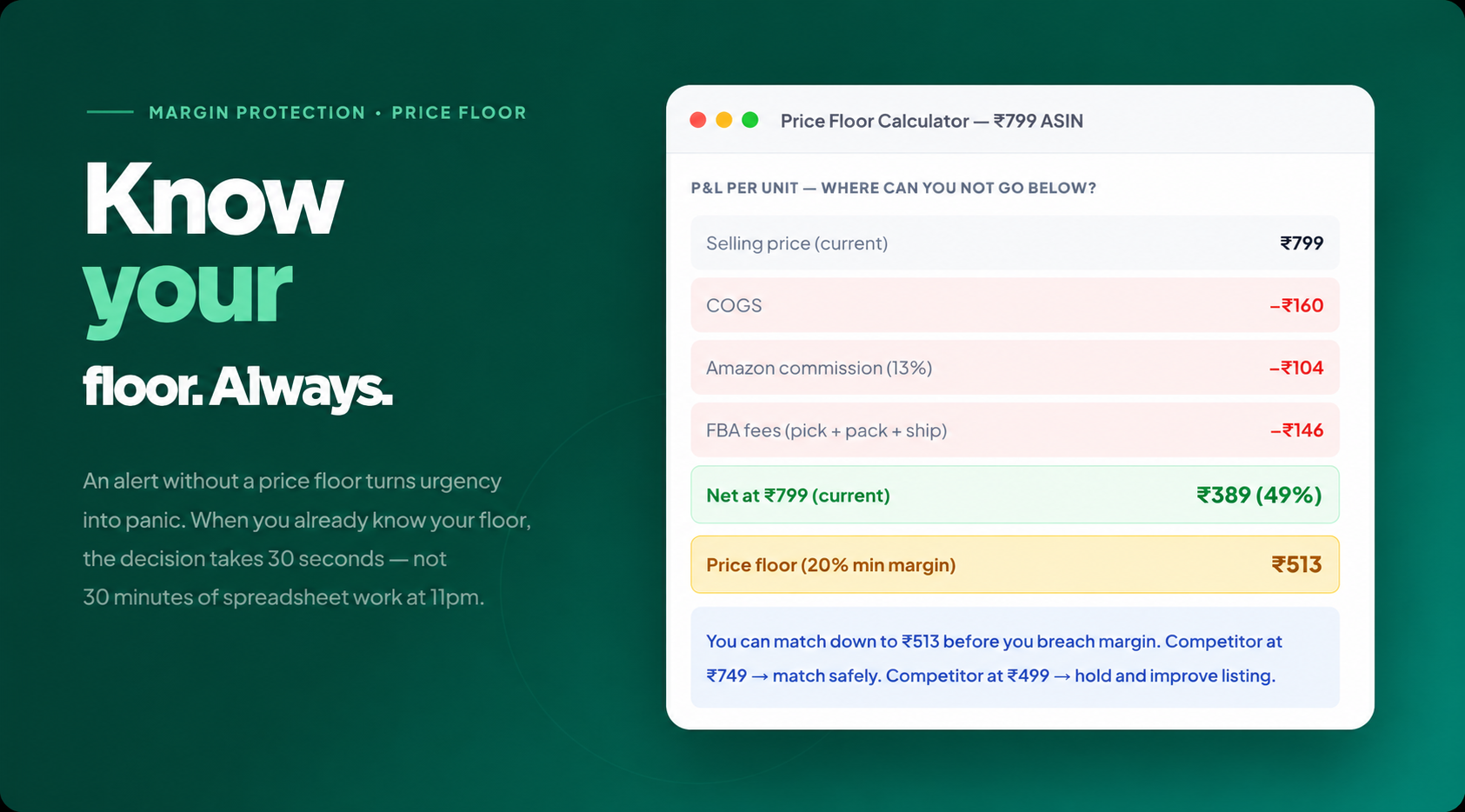
Price floor model for a ₹799 Amazon India ASIN the floor at 20% minimum net margin is ₹513, which means any competitor price above that is safe to match. Below it, hold and compete on listing quality.