What Do You Need Before You Start Selling on Amazon?
Amazon's seller registration page asks for a GST or PAN number and an active bank account. It does not list a registration fee. You pay selling fees when you make sales, and Amazon deducts them from your payout.
You also need a product, a way to store it, and enough cash to buy your first batch. Keep that batch small. Your first order teaches you more than any guide can.
How Do You Sell on Amazon India, Step by Step?
Pick one product with room for profit
Look for steady demand, a price you can compete on and reviews that show what buyers dislike about current sellers. Our guide to private label in India covers how to choose and brand a product.
Register on Seller Central
Create your account at sell.amazon.in and add your tax details and bank account. Seller Central is also your first Amazon seller dashboard, where you manage orders, listings and payments.
Choose how orders will be fulfilled
Amazon offers FBA, Easy Ship and Self Ship. The table below explains the difference.
Create a listing that buyers can find
Use a clear title, five useful bullet points and sharp images. Put the words buyers search for in the title and bullets. If a listing is live but invisible, read why an Amazon listing is not ranking.
Price from your real costs
Add product cost, selling fees, shipping or FBA charges and ad spend before you set a price. Use a simple sheet or an Amazon seller profit calculator. Since March 16, 2026, products priced up to ₹999 in eligible categories carry zero referral fee, as explained in our zero referral fee guide.
Send stock to Amazon if you use FBA
Create a shipment in your seller account, ship the units, then mark the shipment as shipped. Amazon also offers an inbound pickup service for sellers who prefer not to drop stock off themselves.
Start small ads and track results
Run a modest Amazon PPC (pay per click advertising) campaign on your best keywords and stop the terms that bring no orders. To increase sales on Amazon, review keywords, reviews and price every week. Our post on finding competitor keywords shows where to start.
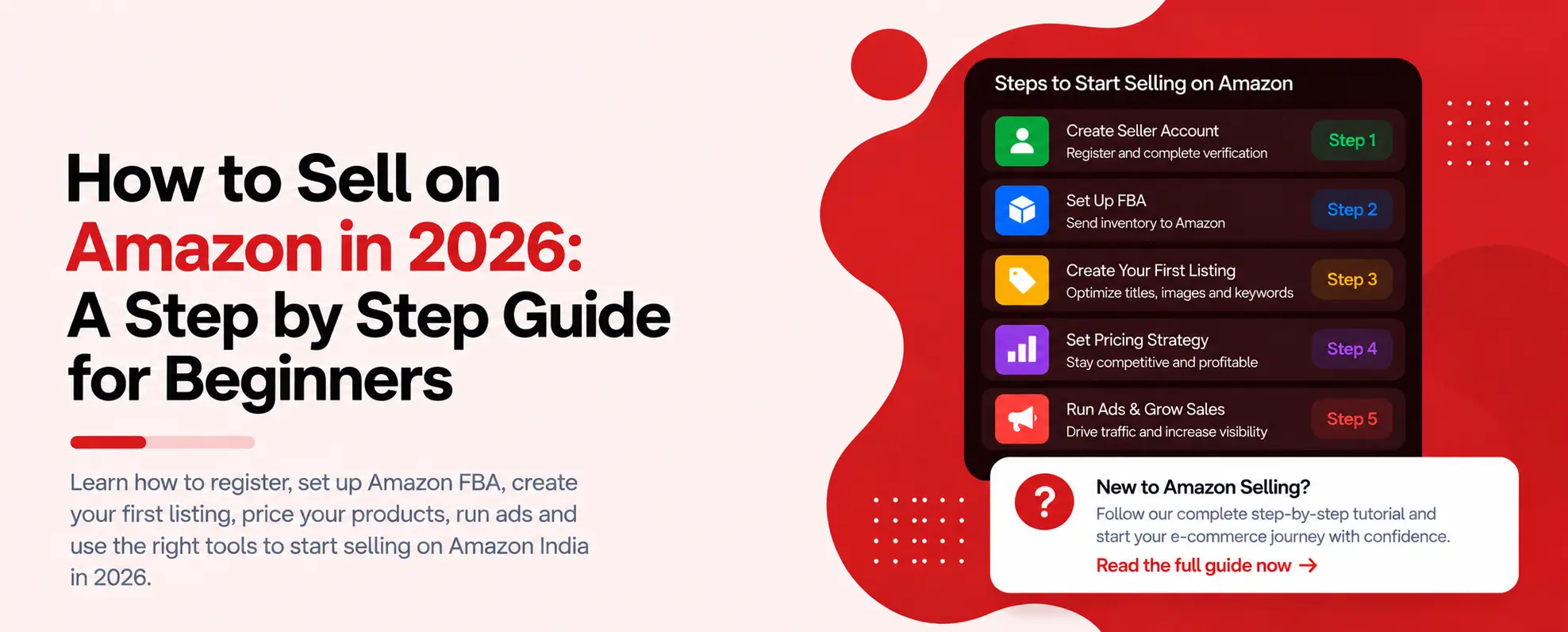
The seven steps in this guide, start to finish: registration, one product, fulfilment, a listing, real-cost pricing, stock, and ads.
Should Beginners Use Amazon FBA, Easy Ship or Self Ship?
Amazon FBA (Fulfilment by Amazon) means Amazon stores your products, packs and ships orders, and handles returns and customer support, as described on its FBA page. Amazon says FBA can improve your chance of winning the Add to Cart box. For beginners, that removes most daily work.
| OPTION | WHO STORES STOCK | WHO DELIVERS | BEST FOR |
|---|---|---|---|
| FBA | Amazon | Amazon | Fast moving products, Prime badge |
| Easy Ship | You | Amazon picks up and delivers | Sellers with storage space |
| Self Ship | You | You | Low volume or custom items |
FBA charges include storage, pick and pack, and weight handling fees, and Amazon deducts them from your proceeds. Stock kept for a long time can attract extra storage charges. Send only what you expect to sell.
What Mistakes Do New Amazon Sellers Make?
The first is pricing from the listing price, not from total cost. Many beginners find out at payout that fees and ads took most of the margin. The second is buying too much stock before the listing has any reviews.
The third is checking Seller Central once a week. Competitors change prices and reviews change rankings faster than that. Our habits of top sellers post shows how experienced sellers monitor daily.
Summary: How to Sell on Amazon India
FBA charges include storage, pick and pack, and weight handling Selling on Amazon India breaks into two phases: a short setup phase and a longer discipline phase. Setup is seven steps: register with a GST or PAN number, pick one product, choose a fulfilment method, create a findable listing, price from your real costs, send stock to FBA if you use it, and start small ads. The discipline phase is where beginners actually lose money: pricing from the listing price instead of total cost, overstocking before reviews arrive, and checking Seller Central only once a week. Get the setup right and stay disciplined on cost and monitoring, and the rest compounds.
Check a product before you stock it
Connect your Amazon listings and see competitor prices, reviews and keywords in one dashboard. Free to start, no credit card.